
SiteLock provides comprehensive website security, automated malware detection, vulnerability patching, and a cloud-based Web Application Firewall (WAF) to safeguard your online business against cyber threats. If you have an active SiteLock subscription associated with your domain, you can access the SiteLock Security Dashboard seamlessly from your Tarweig account.
This guide walks you through accessing the SiteLock portal via Single Sign-On (SSO) from the Tarweig Client Area.
Step-by-Step Access Instructions #
- Log in to your Tarweig Client Area.
- From your primary client overview dashboard, scroll down to the bottom section.
- Under Manage Your Security, locate the domain name linked to your active SiteLock service.
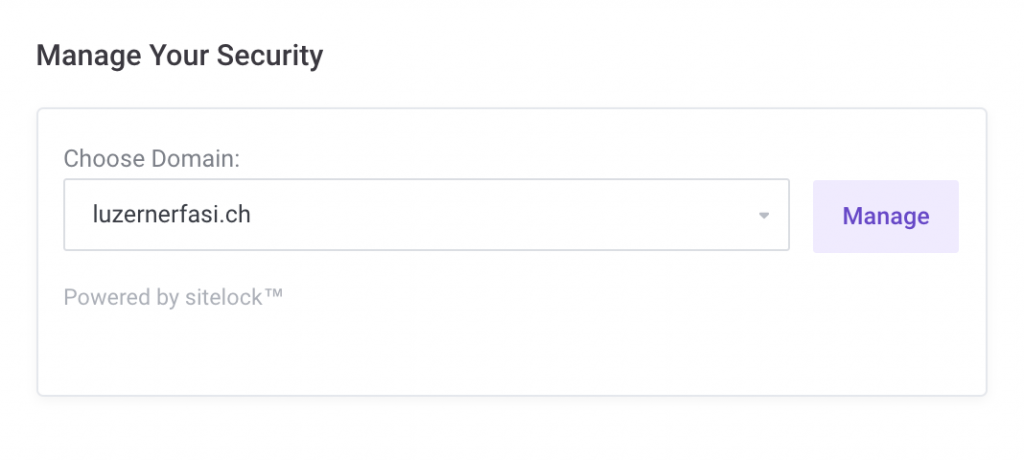
- Click the Manage button next to your domain. A new browser window will open, instantly logging you into your SiteLock Security Dashboard.
Key Management Features in SiteLock #
- Daily Malware Scans: Review detailed scanning reports detecting suspicious scripts, backdoors, or malicious code injections.
- SMART Scanner: Configure automated FTP/SFTP file repairs to clean detected threats automatically.
- Firewall (WAF) Settings: Inspect blocked malicious visitors, SQL injection attempts, and DDoS mitigation statistics.
- SiteLock Trust Seal: Generate and customize the HTML embed code for the SiteLock verified security badge on your site.


