
ID Protection (Whois Privacy) hides your personal information, protecting against spam, scams, and the public.
Give yourself peace of mind that your personal information and privacy are protected by purchasing Domain Privacy & Protection.
In case you didn’t purchase the ID Protection add-on while registering your domain name, please follow the steps below to enable it:
Step 1) Log in to your Client Area
Step 2) From the left-hand-side Menu, click on Domains
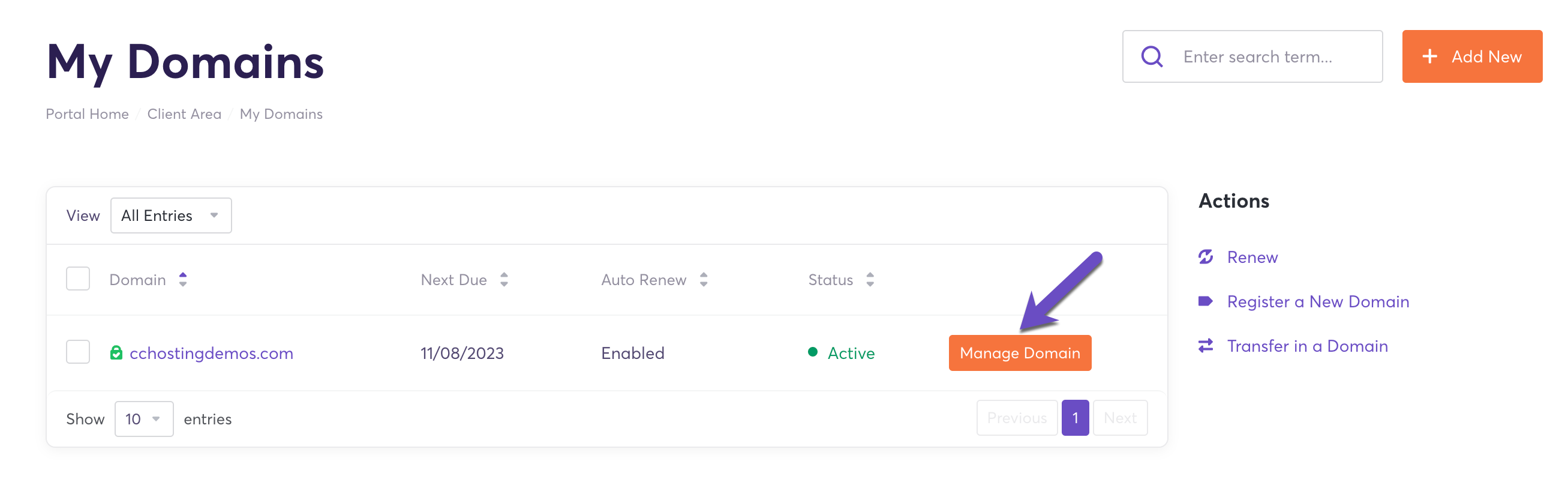
Step 3) Locate the domain for which you’d like to enable ID Protection and click on the Manage Domain button
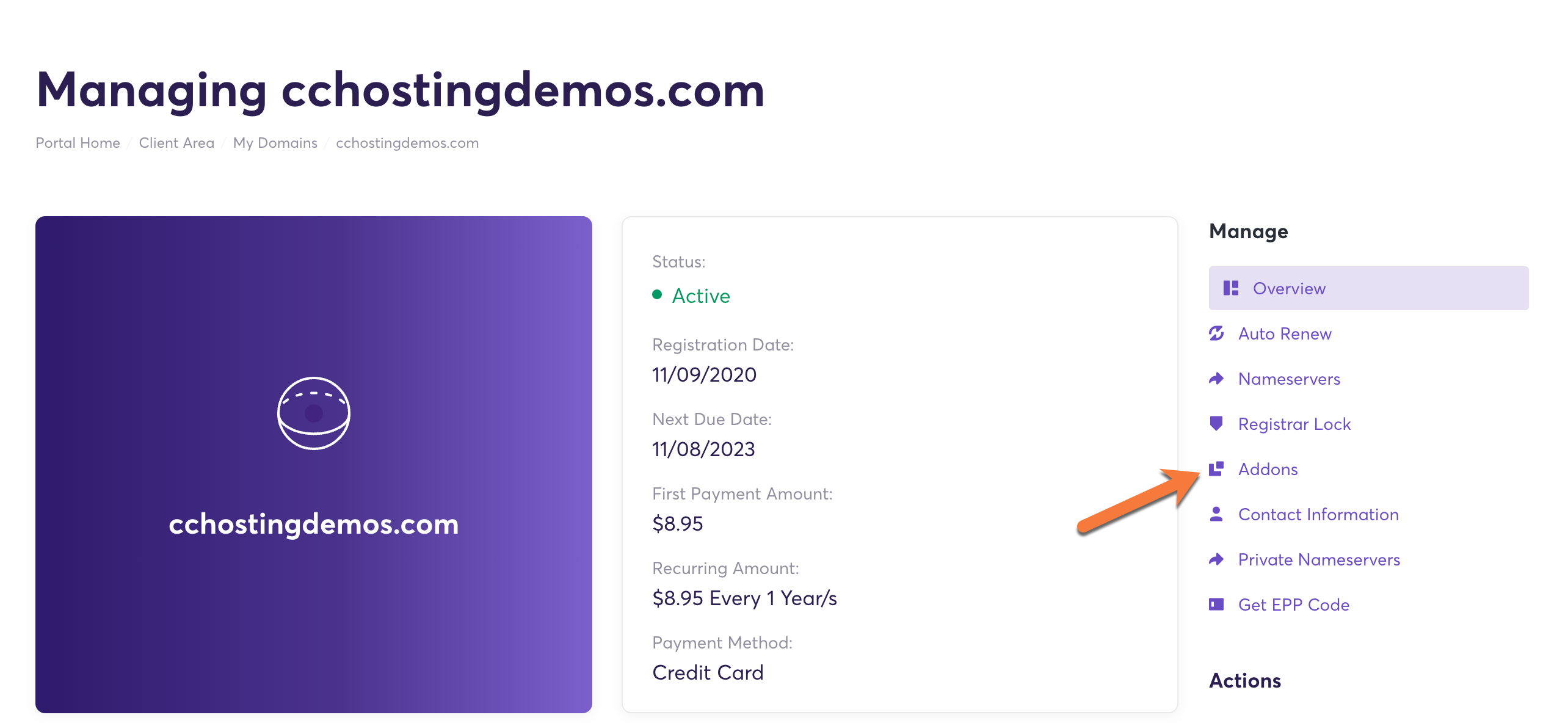
4) In the Manage section click on Addons
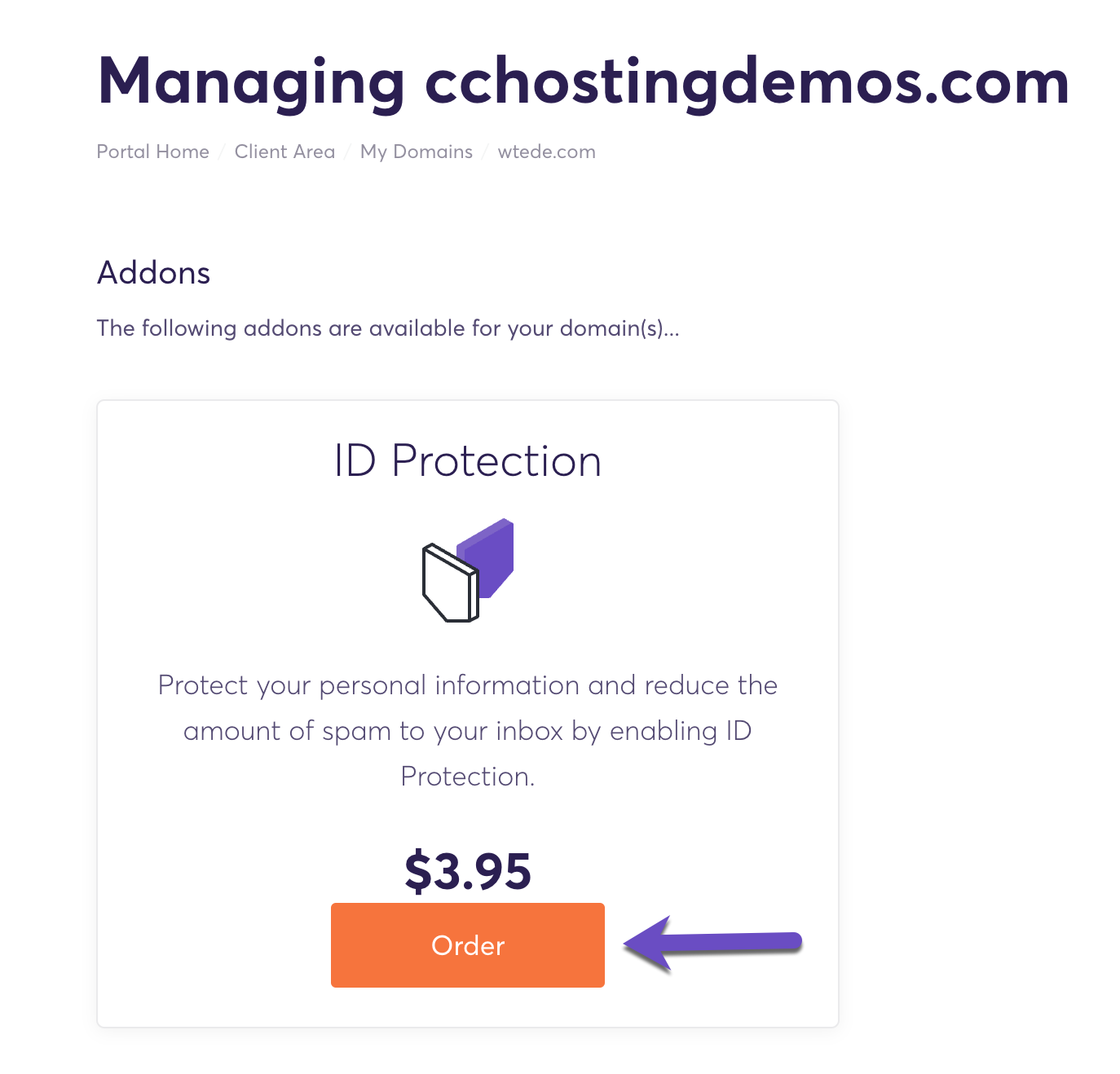
5) Click Order
That’s it! Now you know how to enable ID Protection for your domain name.


