
This tutorial details how to modify a package in WHM.
You can easily make these changes from WHM by following these steps:
1) Log into WHM
2) Scroll down and click on the Edit a Package button located under the Package section.

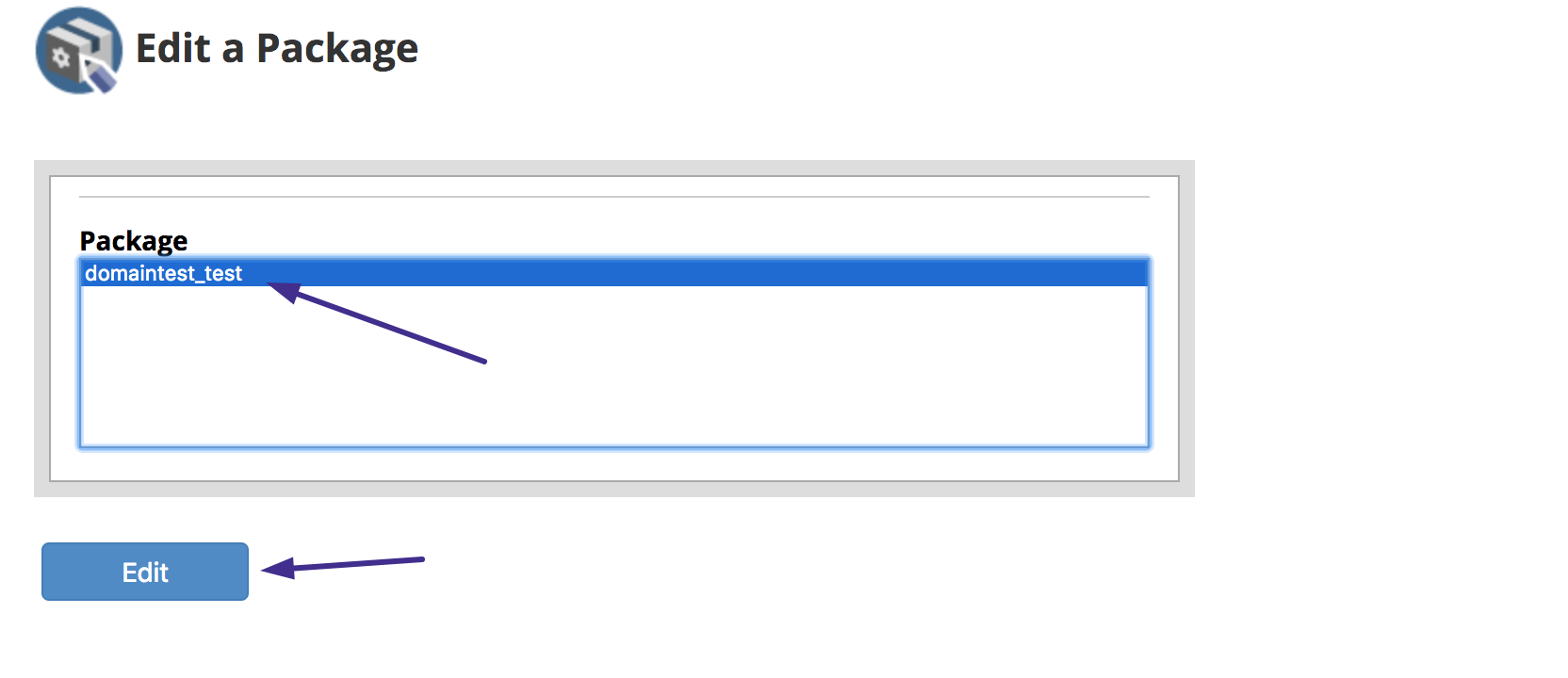
3) Select the package you want to edit and click on the Edit button.
4) In the next screen, you can edit the Resources and Settings assigned to this package

5) After you make the necessary changes, just click on the Save Changes buttons to apply the new values for this package.
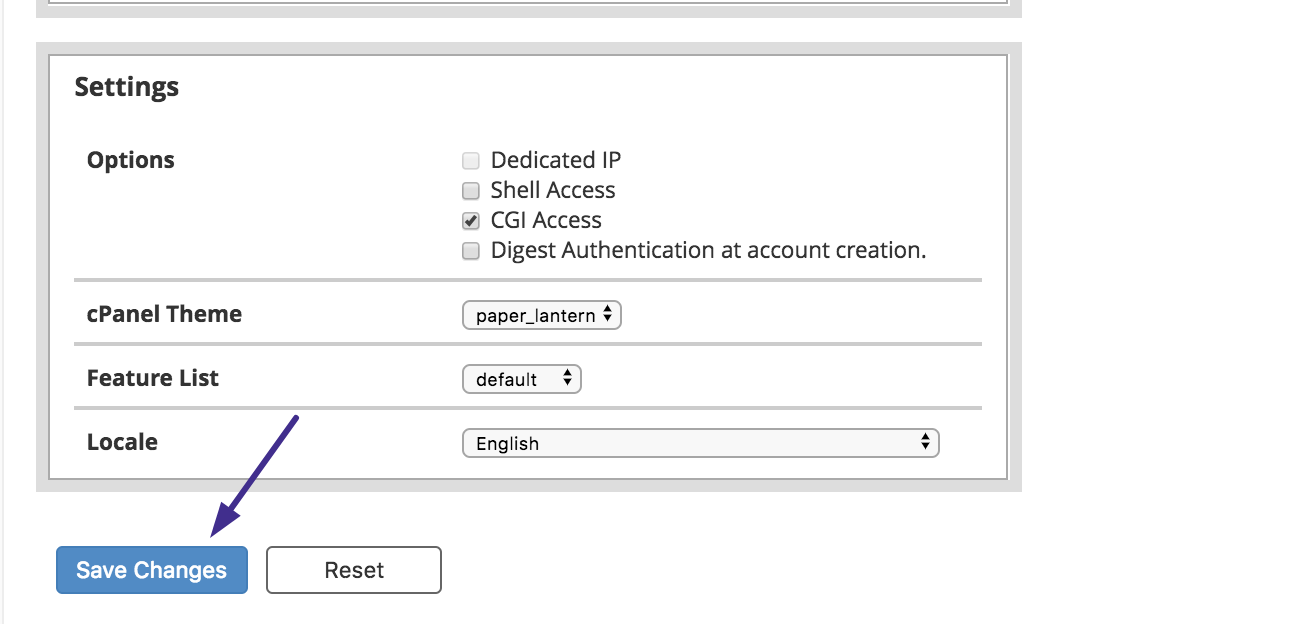
These new values will be applied to all cPanel accounts that use this cPanel package.
That’s it! Now you know how to customize the hosting packages you can offer inside WHM.


